EduPrivacy Suite

All your team’s tools, in one suite

Cloud storage, Word, Excel and PowerPoint documents, e-signatures, secure file transfer, a PDF editor, QR codes and video calls: one workspace in your company’s colours, hosted in Strasbourg.

€3incl. VAT / user / month100 GB and every tool included

See pricing Explore the tools

  • 🇫🇷 Hosted in Strasbourg
  • 🔒 GDPR compliant
  • 🌙 Backed up every night
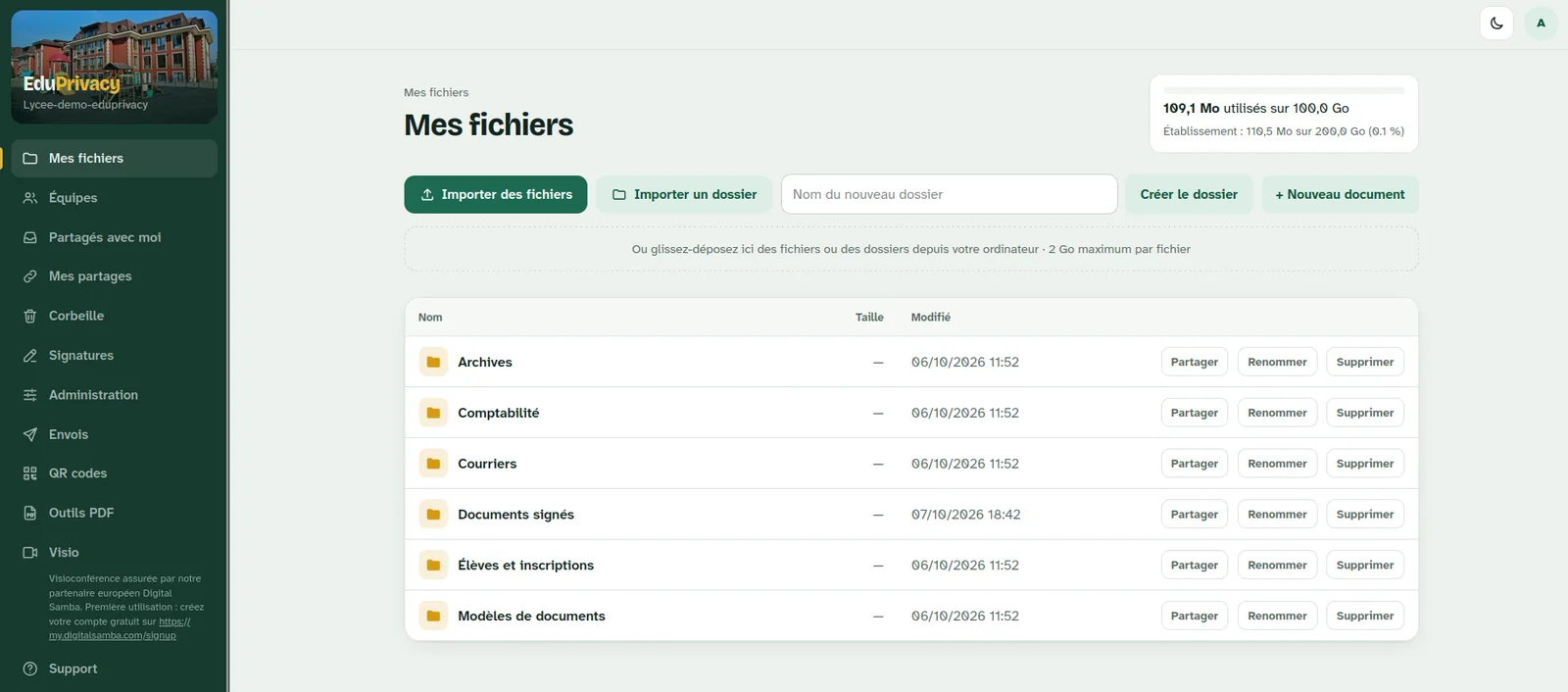
“My files” page in the EduPrivacy Suite
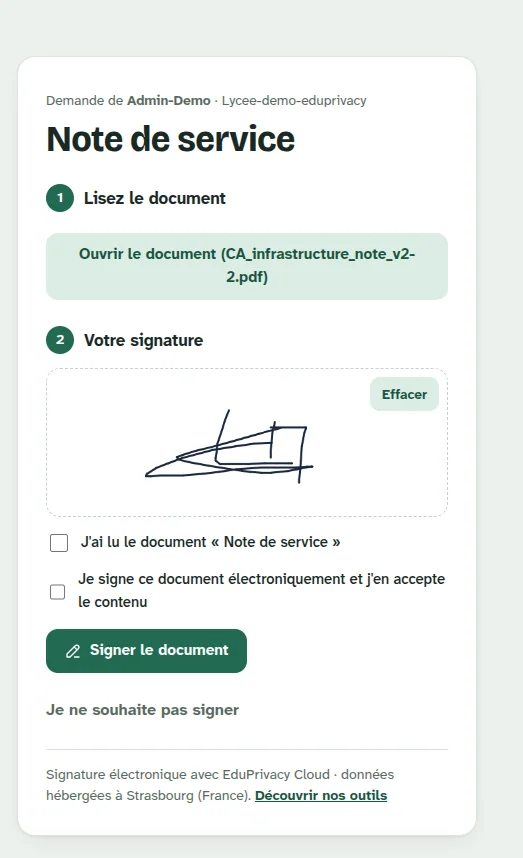
E-signature page with a drawn signature
100 GB per user In your company’s colours
7 tools in a single workspace
100 GB of storage per user
€3 incl. VAT per user per month
0 data leaks since launch

Tool 1 · Cloud & sharing

Your company’s files, organised and shared

Every user gets 100 GB in a workspace bearing your company’s name and colours. Folders, teams, sharing: it all happens in the browser, with nothing to install.

  • Upload files or whole folders by drag and drop, up to 2 GB per file
  • Team spaces so several people can work on the same folders
  • “Shared with me”, “My shares”, “Bin”: everything is easy to find
  • Storage used is visible to each user and to the company
“My files” page in the EduPrivacy Suite
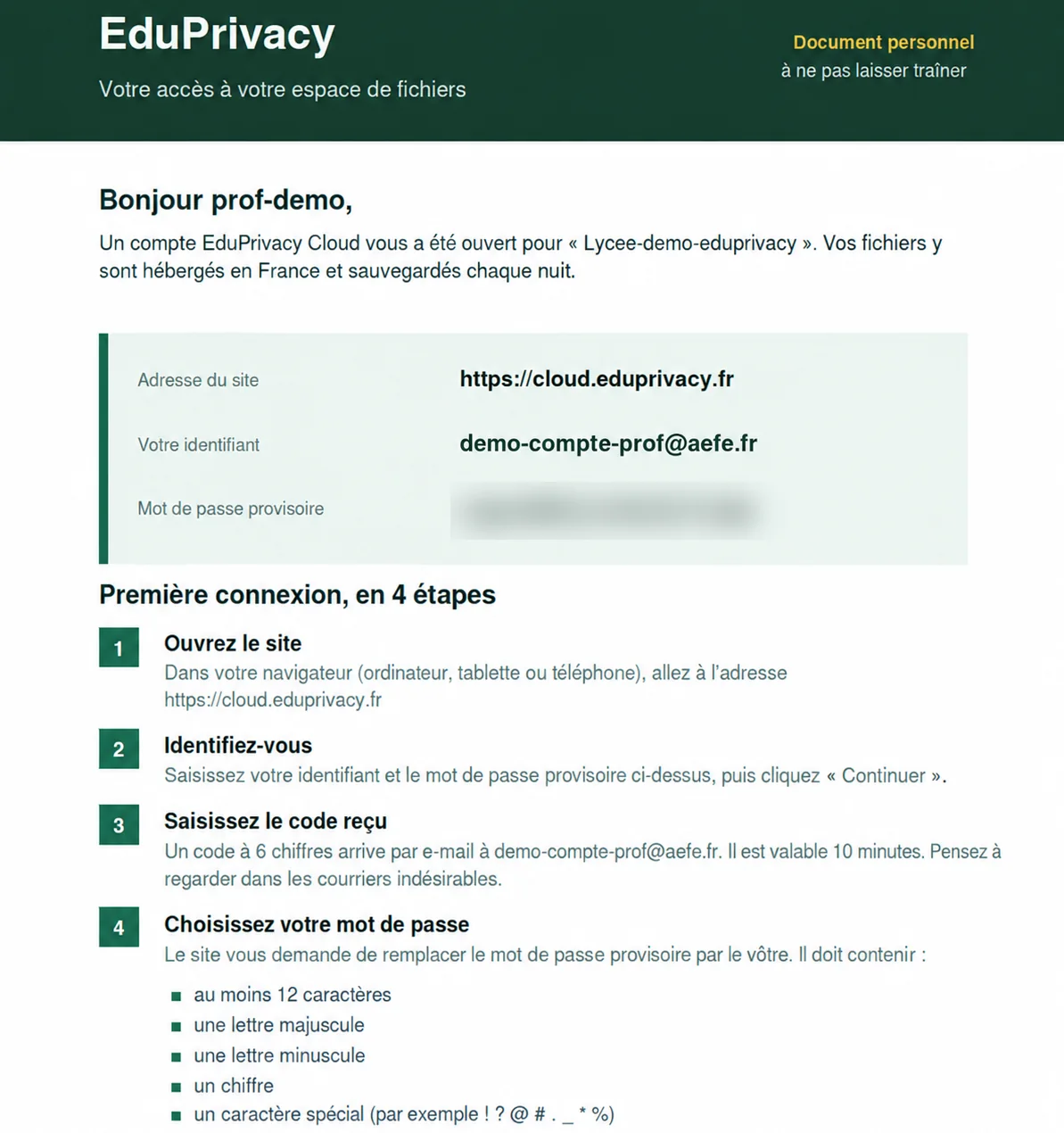
Personal access sheet handed to a user

An access sheet for every user

Username, temporary password and a 4-step first login, with a 6-digit code sent by email.

Tool 2 · Online office

Word, Excel and PowerPoint, right in the cloud

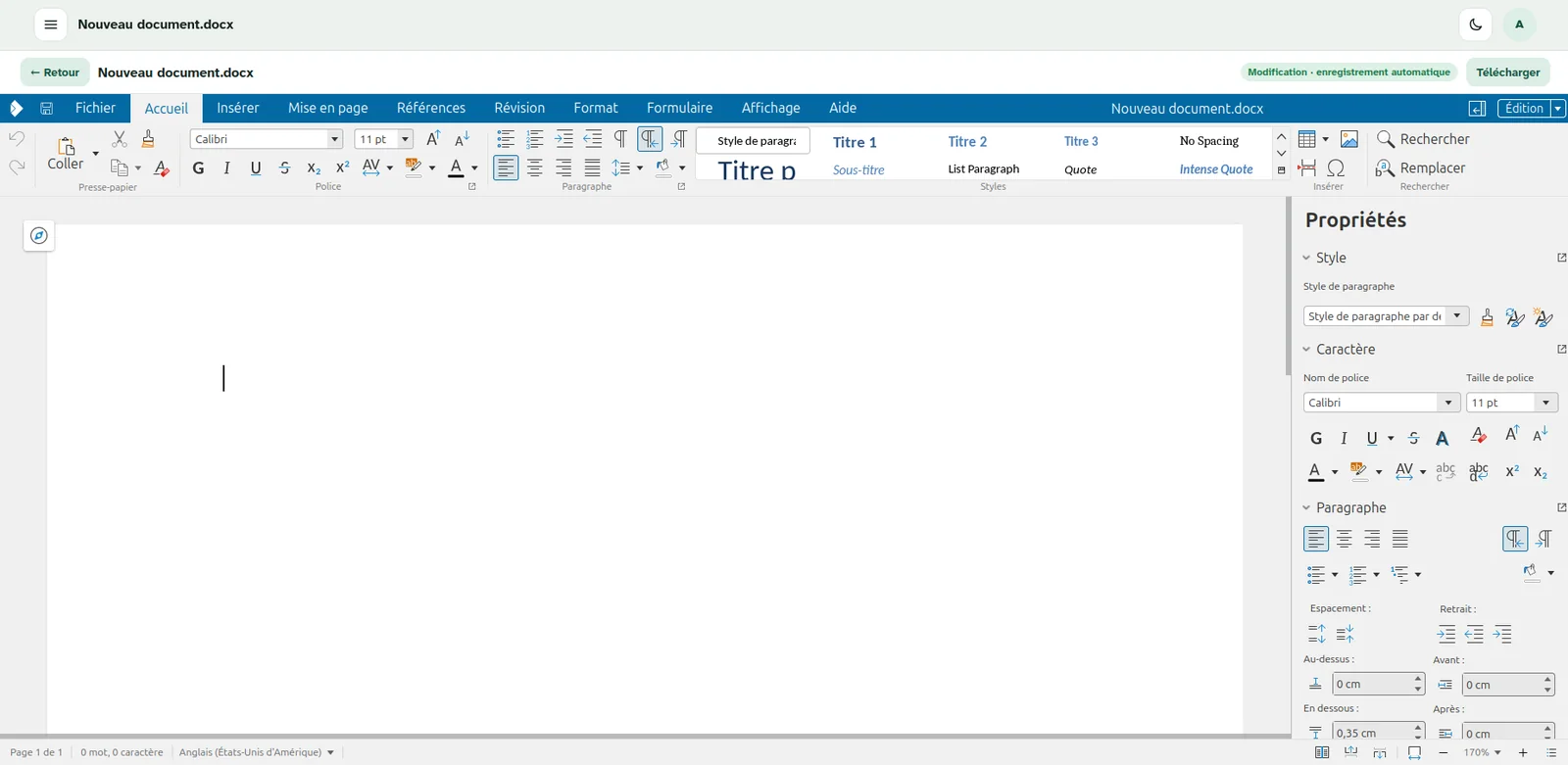
Create and edit documents, spreadsheets and presentations in your browser. Automatic saving, one-click download, no software to install.

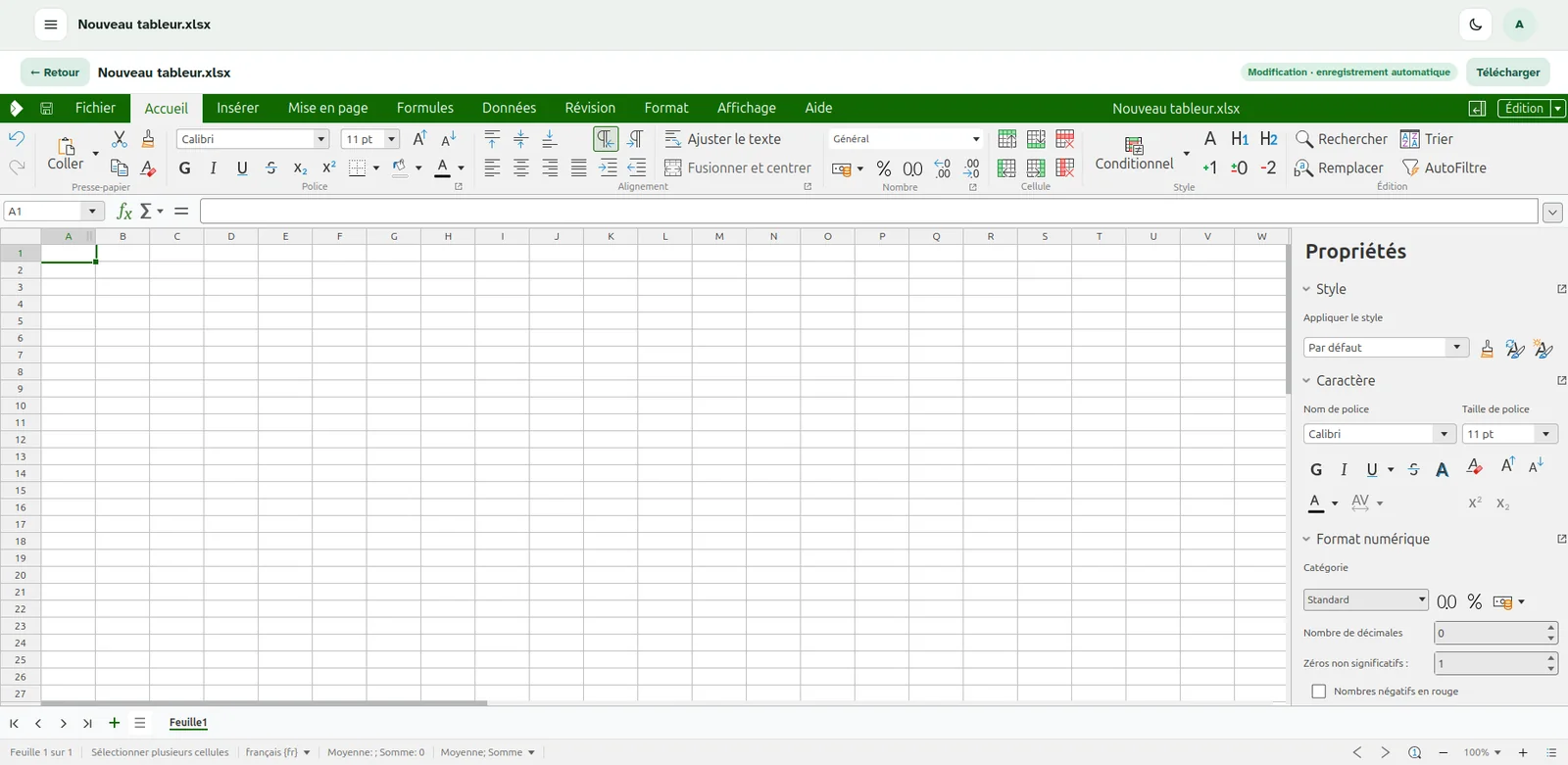
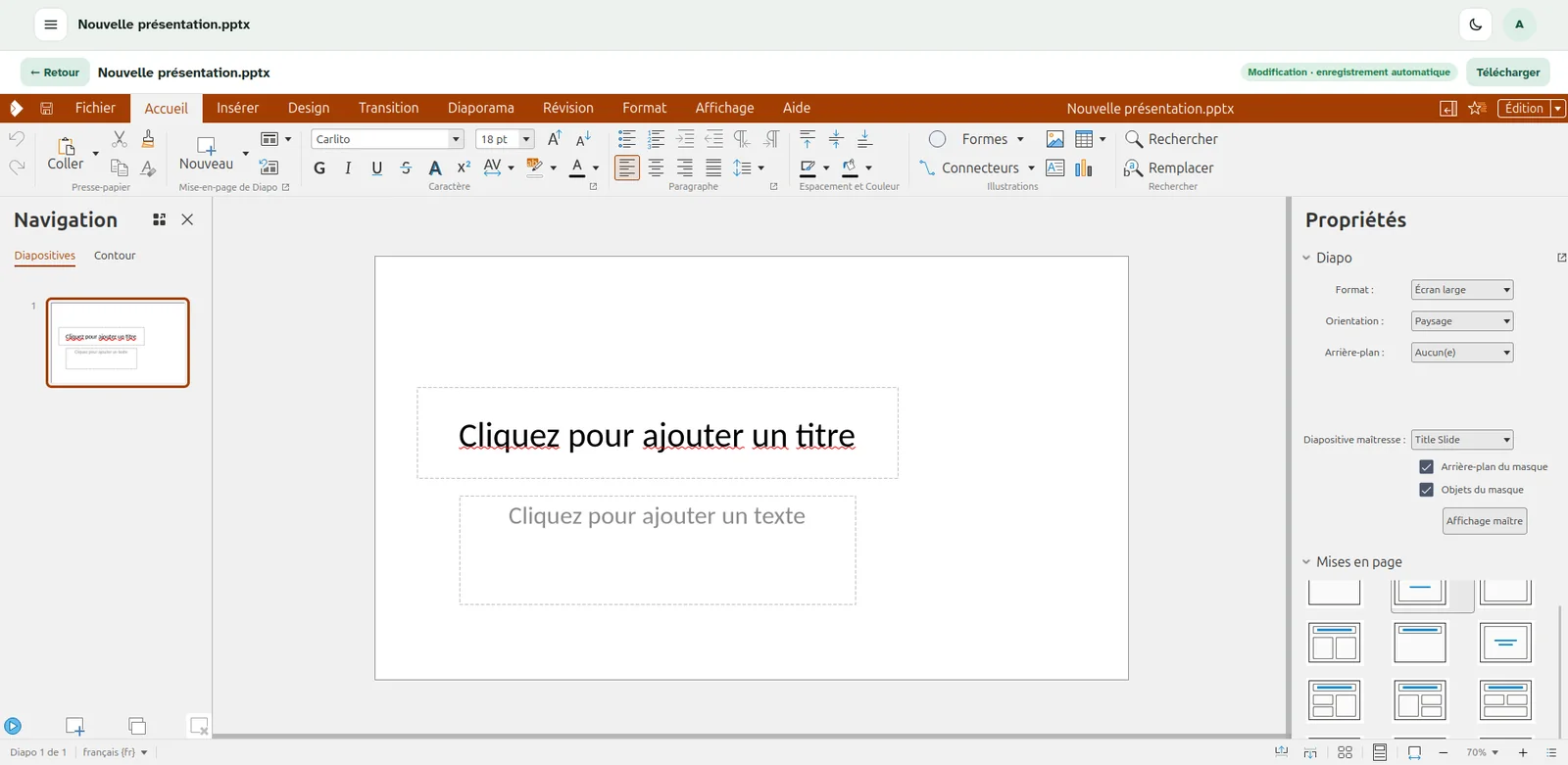
EduPrivacy Suite document editor

Microsoft Office formats

.docx, .xlsx and .pptx files open and edit as they are.

Automatic saving

Every change is saved as you work.

Created from “My files”

One click on “+ New document” and you’re off.

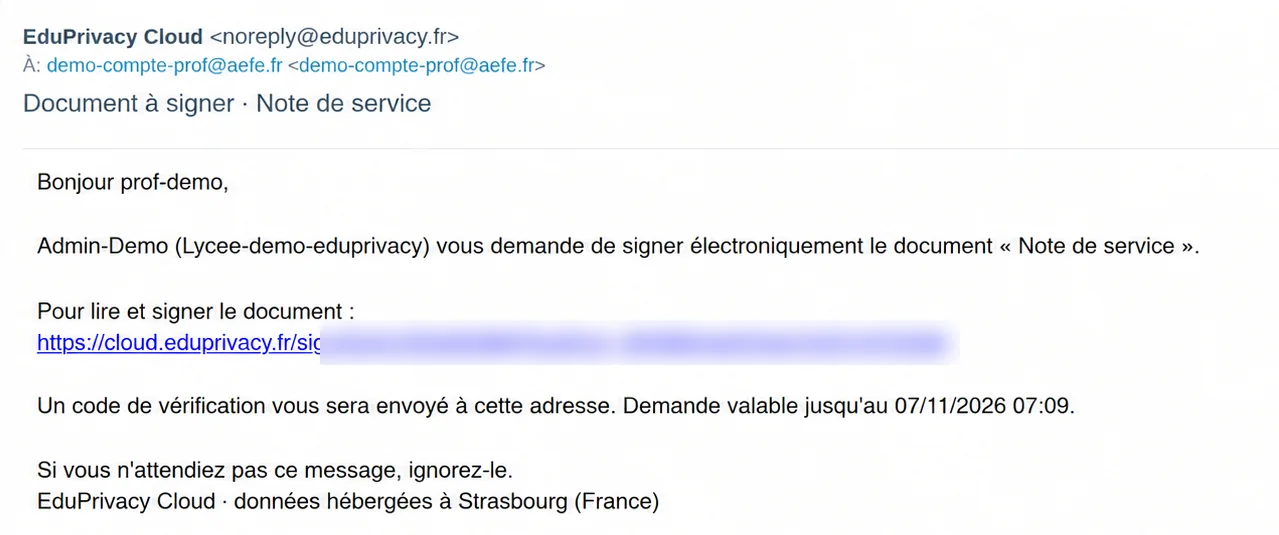
Signature request email received by a signer
E-signature page with a drawn signature

Tool 3 · E-signature

Get a document signed in minutes

Upload the PDF and choose the signers: clients, suppliers or colleagues get an email, read the document and sign with a finger or mouse, on a computer, tablet or phone.

  1. You send the requestFrom the “Signatures” tab, choose the document and the signers.
  2. The signer gets an emailA personal, time-limited link and a verification code.
  3. They read, then signDrawn signature and double confirmation. They can also decline to sign.
  4. The signed document is filedIt lands automatically in the “Signed documents” folder.

Tool 4 · Secure file transfer

Large or sensitive files, no attachments

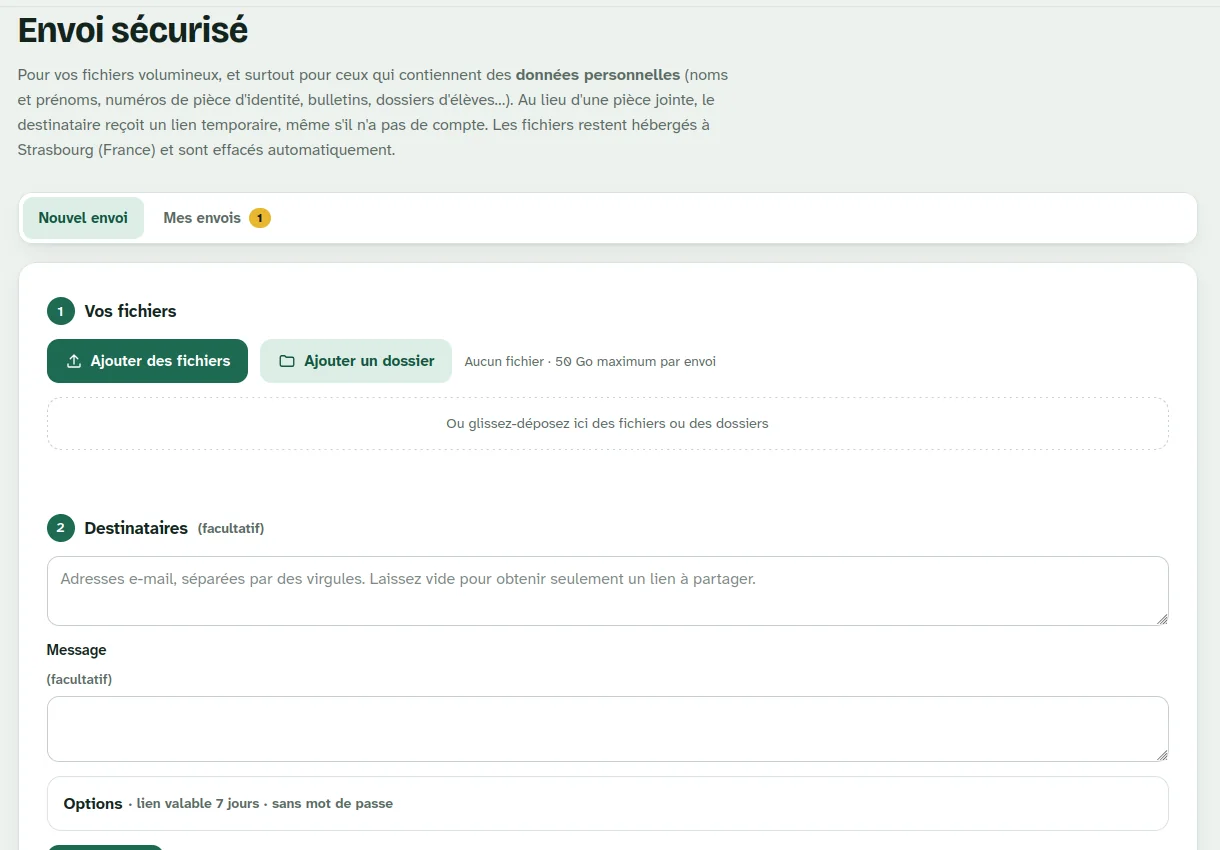
Contracts, quotes, ID documents, client files: instead of an attachment, the recipient gets a temporary link, even without an account. Files stay in Strasbourg and are deleted automatically.

Up to 50 GB per transfer

Single files or whole folders.

Temporary link

Valid for 7 days by default, with an optional password.

With or without email

Send it to recipients, or simply copy the link.

Automatic deletion

Nothing lingers once the link has expired.

EduPrivacy Suite “Secure transfer” dashboard

Tool 5 · PDF editor

Edit and convert your PDFs online

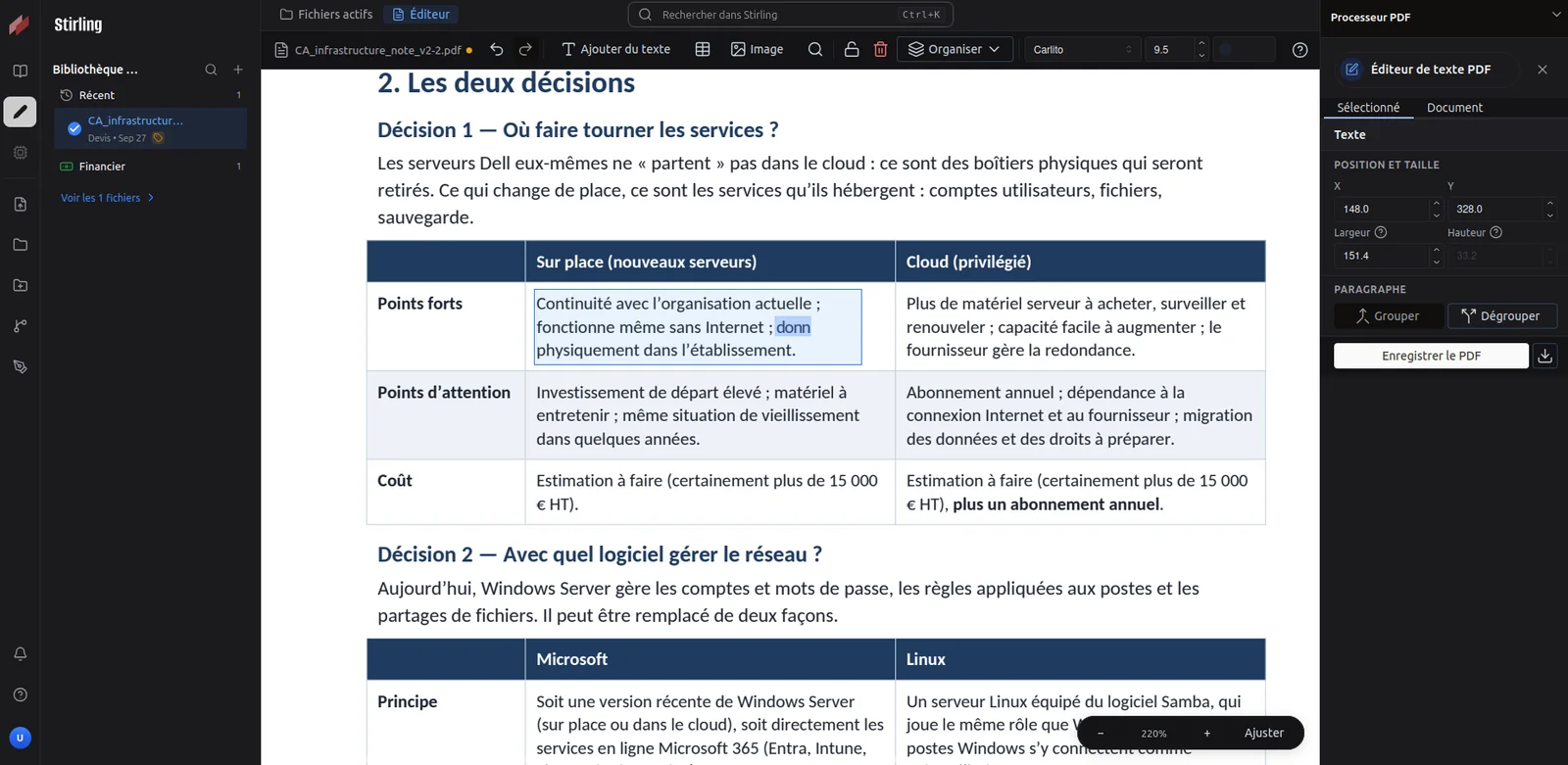
Fix a word in a quote, add text or an image, reorder pages, convert a file: our editor, based on the open-source Stirling PDF, runs on our own servers. Your documents never go to a third-party service.

  • Edit the existing text of a PDF directly
  • Add text, images and tables
  • Organise pages: reorder, merge, split
  • Convert your files to and from PDF
EduPrivacy Suite PDF editor
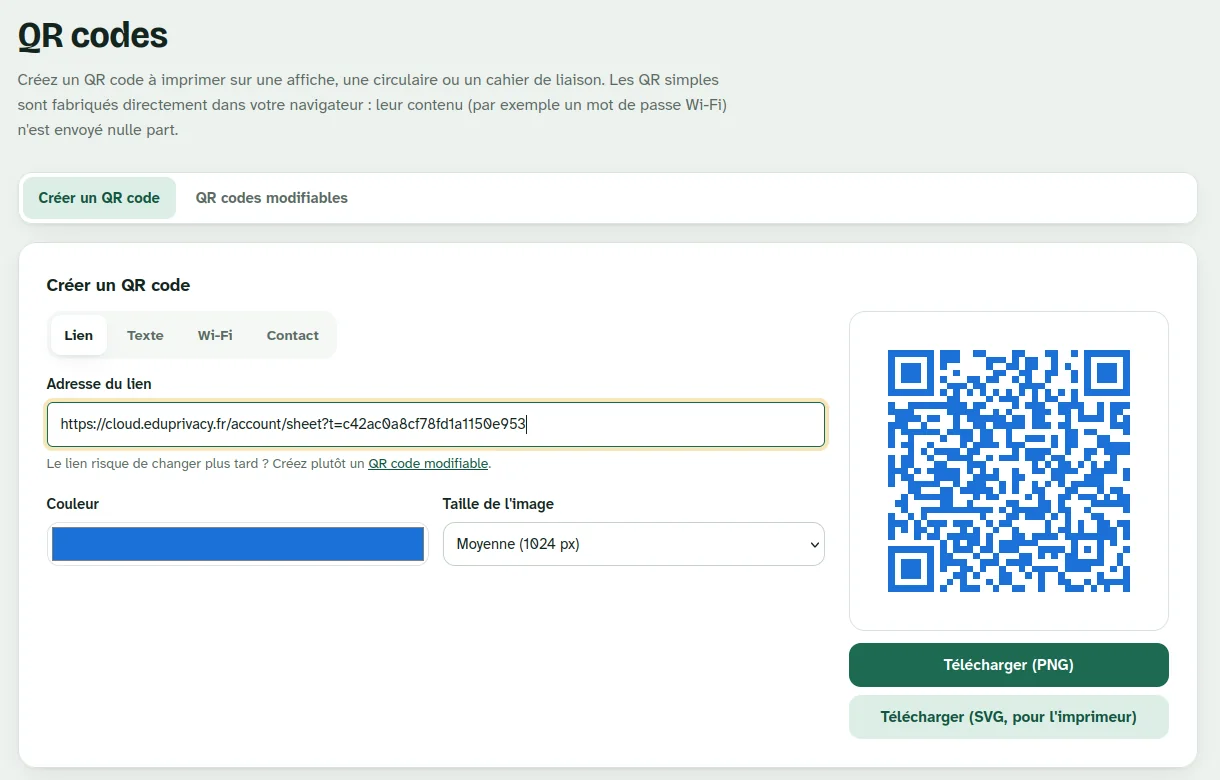
EduPrivacy Suite QR code generator

Tool 6 · QR codes

QR codes for your posters, cards and documents

Link, text, Wi-Fi or contact card: create a QR code in the colour of your choice, as PNG or as SVG for your printer. Static QR codes are generated in your browser, so their content is never sent anywhere.

4 types of QR code

Link, text, Wi-Fi, contact.

Print-ready

Colour, size, PNG or SVG export.

Editable QR codes

Change the destination without reprinting the poster.

Video call on a laptop

Tool 7 · Video calls

Video calls, with our European partner

From your workspace, access video conferencing provided by Digital Samba, our European partner. Creating an account is free.

0data leakssince launch

Hosting & security

Your data stays in Strasbourg.

Files, signed documents, transfers: everything is hosted in France, in Strasbourg. No reselling, no advertising, no tracking.

Hosted in Strasbourg

All suite data stays in France.

Backed up every night

Your files are backed up automatically.

Protected login

6-digit code by email and a strong password.

GDPR compliant

Designed from day one for your clients’ and employees’ data.

Pricing

One price, every tool included

Billed yearly, based on the number of accounts you need.

EduPrivacy Suite

€3incl. VAT / user / month

  • 100 GB of cloud storage per user
  • Word, Excel and PowerPoint online
  • E-signature
  • Secure file transfer up to 50 GB
  • PDF editor and converter
  • Static and editable QR codes
  • Video calls via our European partner
  • Hosted in Strasbourg, backed up every night
Request a quote

Estimate your budget

Total per year
1 440 €
i.e. per month
120 €
Total storage
4 To

incl. VAT

Request this quote

Frequently asked questions

Your questions

What does the EduPrivacy Suite include?

100 GB of cloud storage, online office apps (Word, Excel, PowerPoint), e-signatures, secure file transfer, the PDF editor, QR codes and access to video calls through our European partner.

How much does the suite cost?

€3 incl. VAT per user per month, billed yearly based on the number of accounts you need. Every tool is included.

Where is the data hosted?

In Strasbourg, France. Files are backed up every night.

Do I need to install any software?

No. Everything runs in the browser, on a computer, tablet or phone.

Does the recipient of a secure transfer need an account?

No. They receive a temporary link, even without an account.

How do video calls work?

They are provided by Digital Samba, our European partner. Creating an account is free.

Switch to the EduPrivacy Suite

Request your quote

Tell us how many users you need to equip and we’ll get back to you shortly.

Your request

* Required fields